eGrove Systems
  • Home
  • About Us
    • Our Story
    • Our Team
    • Certifications
    • Partners
    • News & Press Release
  • Government Contracting
  • Our Products
    • Elite m-Commerce Mobile App Builder
    • Elite Site Optimizer – SEO Website Optimization Tool
    • Module Bazaar
    • Class 2 Learn
    • SevNest
  • Software Solutions
    • Overview
    • Enterprise Application development
      • HIPAA Compliant App Builder
      • Python development
    • Content Management System Development
      • WordPress Development Services
    • Artificial Intelligence(AI) / Machine Learning (ML)
    • Ecommerce Web Development
      • Ecommerce Accessibility
      • Payment Gateway Integration
      • Marketplace Development
      • Free Ecommerce Solutions
      • Free Salon Website & Mobile App
      • Free Restaurant Website and Mobile App
    • Mobile Application (Android / IOS)
    • Digital Marketing
    • E-Learning (LMS)
    • Cloud Engineering
      • Website Maintenance
      • Cyber Security IT HelpDesk
    • Accessibility Compliance
  • Careers
    • Current Openings
    • H-1B LCA Posting
  • Contact Us
Select Page

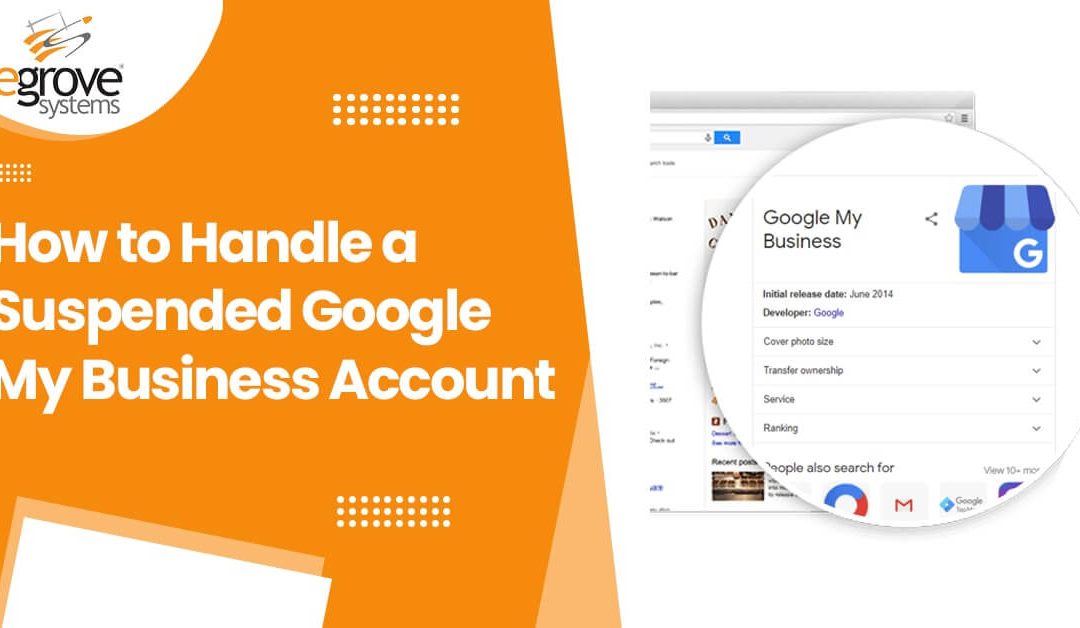
How to Handle A Suspended Google My Business Account

by Santhosh ~ Dev | Jan 18, 2021 | Business, Digital Marketing

How to Handle Google My Business Account
FacebookXPinterestEmailLinkedInWhatsApp

Google My Business is a valuable tool for businesses to help customers find their locations, contact information, hours of operation, and more. A totally free service that integrates with Google Search and Maps, some of the most widely used apps on the Internet, is too good to ignore. With 86% of the search engine market and 67% of the navigation app market, getting your business in front of location-based Google Search and Maps users is an important marketing tool. 

If your business loses access to Google My Business, you lose the ability to update your page to communicate any change in your operations and it will cost you a vital free tool for marketing. If suspended unexpectedly, businesses should review their recent activities and appeal to Google for reinstatement promptly. 

Why Does Google Suspend Google My Business Accounts? 

Google lists various guidelines for using their services. Featuring fraudulent or illegal activities on your business’s page is certain to be a violation that will get your business suspended and make it extremely difficult to regain control of the account. However, there may be other violations that could occur unintentionally, and contacting Google with the goal of explaining and correcting them can help. 

One issue that can be problematic is claiming to provide services that aren’t tied to your core business. It may be tempting to list more qualities to appear in search results, but Google asks for businesses to choose categories that specifically describe the core business rather than every service it could potentially offer. In addition, trying to put additional information such as services offered or marketing taglines in your business name itself is forbidden. 

Since businesses can engage with customers who post Google reviews, these interactions could lead to negative behaviours that could cause Google to take action. Responding to reviewers with abusive language or revealing personal information about them could also be grounds for suspension, so it’s critical to be careful what you say when engaging with reviewers.

Businesses that rely on a third-party marketing agency to manage their web presence may find that shady tactics were used without their knowledge, so if this led to a suspension, it’s important to recover as soon as possible. 

Dealing With Suspensions

It’s possible for either a location’s profile or a manager’s account can be suspended depending on the action that was flagged as violating the guidelines. Suspensions may restrict you from editing the profile, or in rare cases, they may remove the location from public view entirely. This is reserved for cases where the user abused the platform or created a profile for a business that does not qualify for one. 

In the manager’s account, checking the status of a location under Manage Locations in the menu will indicate if the page is published, pending, or suspended. A manager’s account may get an email about the suspension. You can click ‘Learn More’ on the notification to directly respond, or go to the troubleshooter page and fill out the information to ask for reinstatement. 

Read also :-What is Localized content and how can we use it

Calling for Reinstatement

Frustratingly, it can often be unclear what the cause of suspension was. A business’s page may be suspended as a false positive; if you can’t see anything that violated the guidelines, you may have done nothing wrong and hopefully, a dedicated review of your page by Google staff will confirm this. Otherwise, if you think you may have added material that violated the guidelines, it’s best to remove it and strictly tailor your business’s information to what’s allowed. It’s not needed to do anything extreme such as deleting the suspended location from your account and recreating it. 

Hopefully, Google’s staff will manually review the case and reach out by phone or email and resolve the case. If the proper changes can be made to meet Google’s guidelines, and you have no history of abusing the platform, you can expect to be reinstated. However, if the reason for the suspension is not resolvable (for instance, if the location is not a public-facing business address that qualifies for a profile), it’s best to move on. 

Especially for local businesses who depend on Google for traffic, having an inoperative or inaccessible business profile for too long can harm your ability to engage with customers and attract new ones. Business owners should manage Google My Business with the guidelines in mind and promptly reaching out for reinstatement.


Topics

  • accessibility checker
  • Accessible navigation
  • Agile Project Management Solution
  • AI
  • AI in eCommerce website
  • AI-Enabled SEO Audits
  • and Voice Commerce
  • Beauty Business Mobile app
  • Brand Story
  • Business
  • Business Analysis
  • Careers
  • Case Studies
  • Christmas Holiday offers
  • Cloud Security
  • color contrast
  • Content Audit
  • Core Algorithm Update
  • customer oriented
  • Cybersecurity
  • DevSecOps integrations
  • digital entrepreneurship 2025
  • Digital Marketing
  • Digital Transformation Services 
  • Digital Transformation Services 
  • Document Management System
  • e-commerce apps
  • e-commerce color contrast
  • e-commerce website
  • e-commerce website development Company
  • e-commerce website development mistakes
  • Ecommerce Checklist
  • eCommerce Development
  • ecommerce holiday offers
  • eCommerce Website Development
  • eGrove systems
  • egrovesystems
  • Elite mCommerce
  • Enterprise Application Development
  • Extensions and Modules
  • Food Delivery Aggregators
  • Food delivery app
  • Food delivery mobile app
  • Grocery App
  • Grooming business
  • H1B – LCA
  • Harassment
  • Healthcare Businesses
  • HIPAA Security
  • HIPAA-compliant
  • Human Resources
  • Hybrid and Remote Work
  • Hybrid Workplaces
  • Keyword Tracking
  • Link building
  • marketplace
  • Mcommerce Development
  • mCommerce Solutions
  • Mobile Accessibility
  • Mobile App Development
  • Mobile App development
  • Mobile App for beauty salon
  • Mobile Application
  • Mobile Loyalty
  • Online Delivery Businesses
  • Payment Integration
  • Pet grooming business
  • POS Integration
  • POSH Framework
  • POSH Policies
  • POSH training
  • Prevention of Sexual Harassment (POSH)

  • Progressive Web App
  • python
  • Python Development
  • Python Development Blogs
  • Regular awareness
  • restaurant app vs. aggregator
  • Restaurant Apps
  • Restaurant Mobile App
  • Safe Workplace
  • Search Engine Marketing
  • Search Engine Optimization
  • SEO Audit
  • SEO Strategies
  • SEO Tool
  • SEVnest
  • SEVnest POSH training
  • Sexual Harassment
  • software
  • special events
  • start an online business
  • Test Recording Tools
  • Thanksgiving rush
  • Uncategorized
  • Web Accesibility
  • Web Development
  • Workplace harassment Training
  • workplace safety

Latest Posts

  • Website Optimization: Why Your Site Is Underoptimized, Not Failing
  • How to Reduce Cart Abandonment Through Smart E-Commerce Website Development?
  • Christmas Holiday Ecommerce Checklist: What Your Website Must Have to Convert Shoppers
  • Beyond Compliance: How POSH Training Protects Your Brand Reputation
  • How to Build an E-commerce Website That Actually Sells
ESO Ads
Egrove Logo

Leaders in Digital Transformation

Innovation at the Core, Excellence Inspired, Success Engineered

Links

  • Home
  • Blog
  • Sitemap
  • Contact
  • Our Services
  • Accessibility Statement

About

  • Partners
  • Careers
  • Press
  • Certifications
  • Portfolio
  • Case Study

Our Offices


2 Auer Ct, Suite G, East Brunswick, New Jersey 08816

3rd Floor Main Building Rear, Guna Complex, Anna Salai, Teynampet, Chennai 600018.
All Rights Reserved Copyright © 2015 - 2025 | eGrove Systems Privacy Policy  Terms of Use